What is DNS?
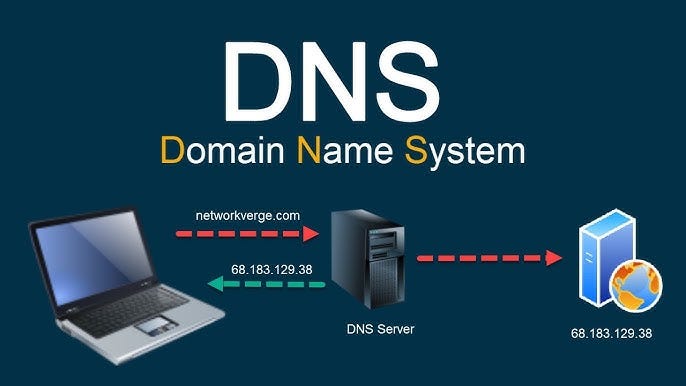
The Domain Name System (DNS) is essentially the phonebook of the Internet.
Computers communicate using numbers (IP addresses like 192.0.2.1), but humans prefer names (like google.com). DNS bridges this gap by translating human-readable domain names into machine-readable IP addresses.
Analogy: Just like you don't memorize your friend's phone number, you just tap their name in your contacts. Your phone does the lookup for you.
Interactive DNS Resolver
Click "Resolve" to watch the packet travel through the internet.
Check Cache
Browser & OS check if they already know the IP.
Ask Resolver
ISP's recursive resolver takes over the search.
Iterative Query
Resolver asks Root → TLD → Authoritative servers.
Response
IP 142.250.x.x found! Saved to cache.
Technical Details
DNS is a distributed database implemented in a hierarchy of many name servers.
The top of the tree. There are 13 logical root server IP addresses (A-M), but hundreds of physical servers via Anycast. They know where TLD servers are.
Top Level Domain servers. They manage specific extensions like .com, .org, .edu. They know which Authoritative server handles a specific domain.
The final destination. These servers hold the actual DNS records (A, MX, CNAME) for the specific domain.
manage_search Recursive
"Hey, go find this for me and don't come back until you have the answer."
Typical between: Client Device → ISP Resolver
directions Iterative
"I don't know, but here is the address of someone who might know. Ask them."
Typical between: Resolver → Root/TLD/Auth Servers
Maps domain to IPv4.
example.com -> 1.2.3.4
Maps domain to IPv6.
example.com -> 2001:db8::1
Points one domain to another.
www -> example.com
Directs email to mail servers.
priority 10 mail.google.com
Delegates a DNS zone to a server.
example.com -> ns1.aws.com
Arbitrary text. Used for verification (SPF, Google).
v=spf1 include:_spf.google.com ~all
DNS Interview Questions
Key Points to Hit:
- Check Browser Cache then OS Cache (hosts file).
- OS sends query to Resolver (ISP).
- Explain the Recursive journey (Root → TLD → Auth).
- Mention A Record is returned.
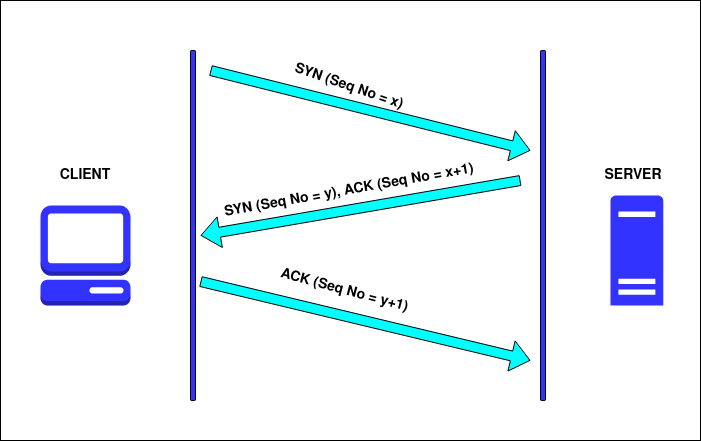
- Bonus: Mention TCP handshake happens after DNS.
A Record: Maps a hostname to an IP address (e.g., app.com -> 1.2.3.4).
CNAME (Canonical Name): Maps a hostname to another hostname (e.g., www.app.com -> app.com).
Tip: Mention that looking up a CNAME requires a second lookup (to find the A record of the target), which adds slight latency.
Speed & Efficiency. UDP is connectionless and lightweight. DNS queries are small (historically < 512 bytes) and fit in a single packet. "Fire and forget."
Caveat: DNS does use TCP for Zone Transfers (AXFR) or if the response size exceeds 512 bytes (though EDNS0 extends UDP limits).